
The YourResidence platform
Every stay.
Every owner.
Connected.
Vacation rental management that connects reservations and property records with owner accounting, payments, and financial reporting.
One workspace for the operations and finances of a multi-owner portfolio.
Owner accounting / A closer look
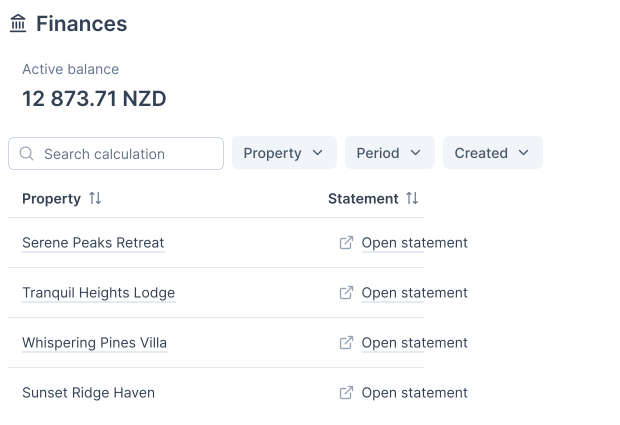
The owner behind the property.
Review balances and open property statements from the owner record.
Reservation
Guest · Dates · Property
Property
Owner · Channels · Details
Owner account
Income · Expenses · Balance
Reporting
Totals · Payments · Statements
Reservations & Calendar
Stay on top of
your booking operations.
Use the calendar for a view across your properties, and reservation records for the details of each stay.
The booking, with its context.
Keep arrival and departure dates, assigned properties, guests, booking sources, and payment statuses together.
- Review reservation and payment statuses separately.
- Check the property, guest, and agent associated with a booking.
- Keep ordered services connected to the stay.
Calendar / Property availability
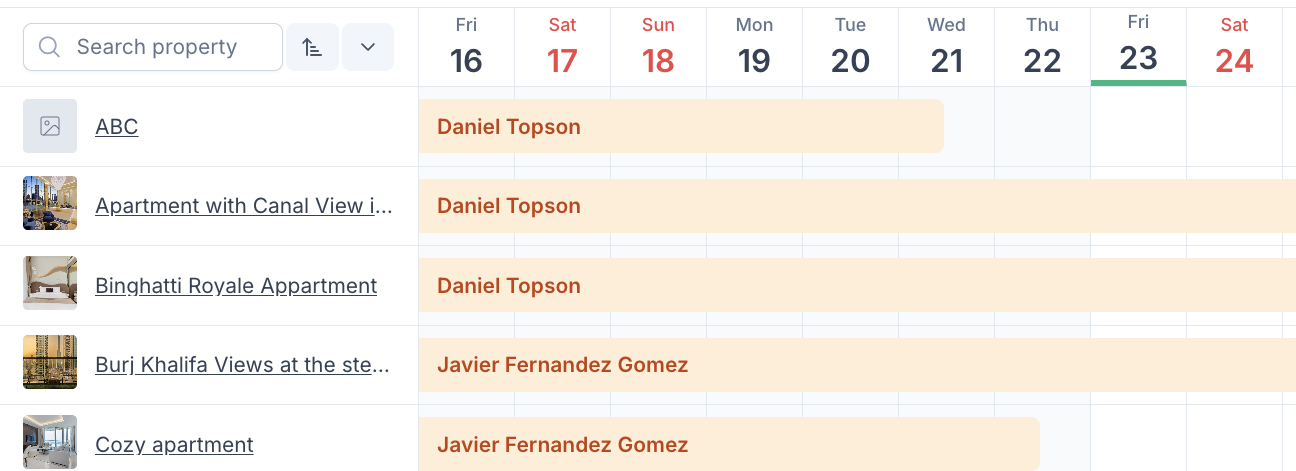
Calendar view
See stays across properties. Narrow the view by property, owner, booking status, and payment status.
Reservation records
Move from portfolio availability to the dates, status, guest, and financial context of an individual booking.
Property Management
Give every property
a connected record.
Keep accommodation details and owner relationships together, so reservations and financial activity have a clear property context.
Property details / General information
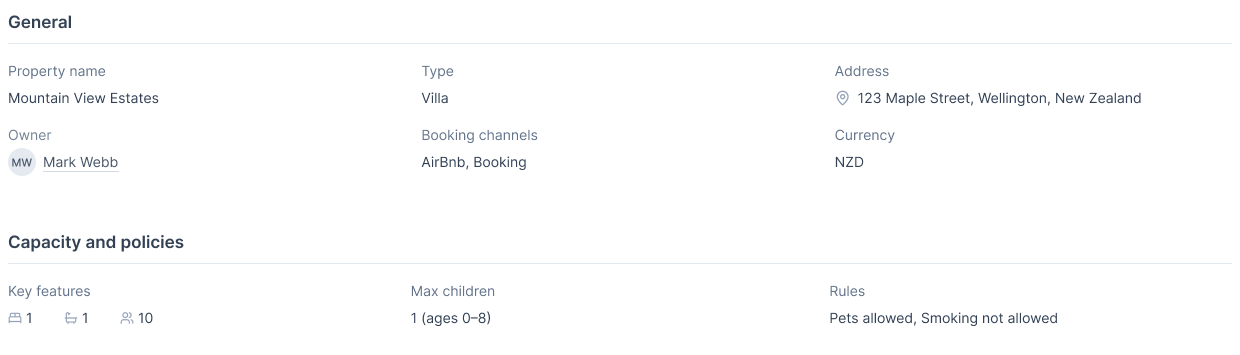
Accommodation
Property type, address, capacity, and policies.
Owner relationship
The owner associated with the property.
Operating context
Booking channels, currency, and related records.
Owner Accounting · Payments & Expenses
Follow the records
behind the owner balance.
Review owner-related income, expenses, balances, and settlements with the property and reservation information they relate to.
Owner accounts
Check the active balance and property statement links in the owner record. Filter by property and period.
Income & expenses
Inspect financial records, amounts, payment direction, and payment status alongside linked reservations.
Settlements & statements
Review the recorded financial activity before discussing a settlement, and open the statement for the relevant property and period.
Accounting documents / Payment records
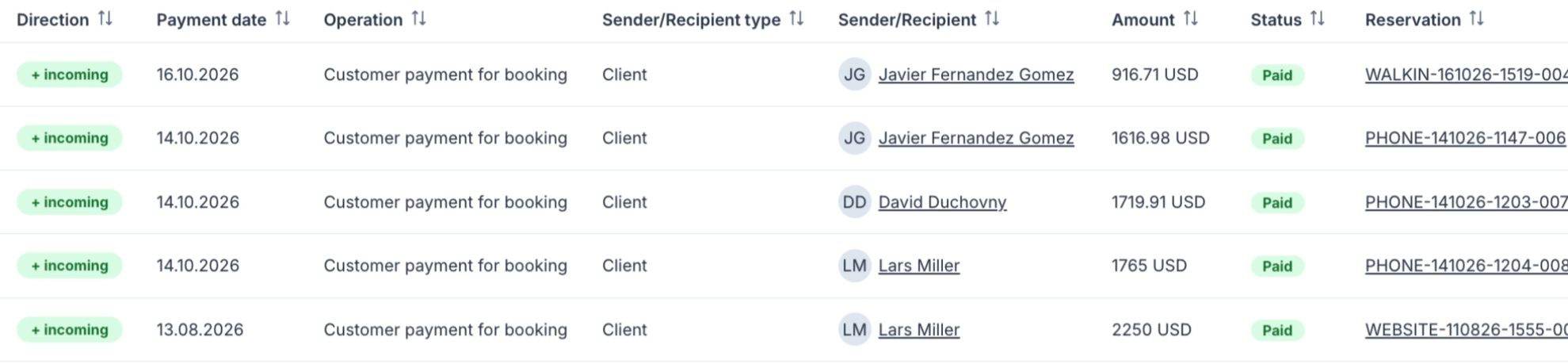
Financial Reporting & Dashboard
Bring the figures
into focus.
Choose the period, property, or owner you need to review. See reservation totals, average reservation price, owner payments, and outstanding amounts.
Different views for different questions.
The dashboard gives your team a financial summary. Owner statements provide a property- and period-specific view; accounting records show the underlying payments and expenses.
Finance dashboard / Period summary
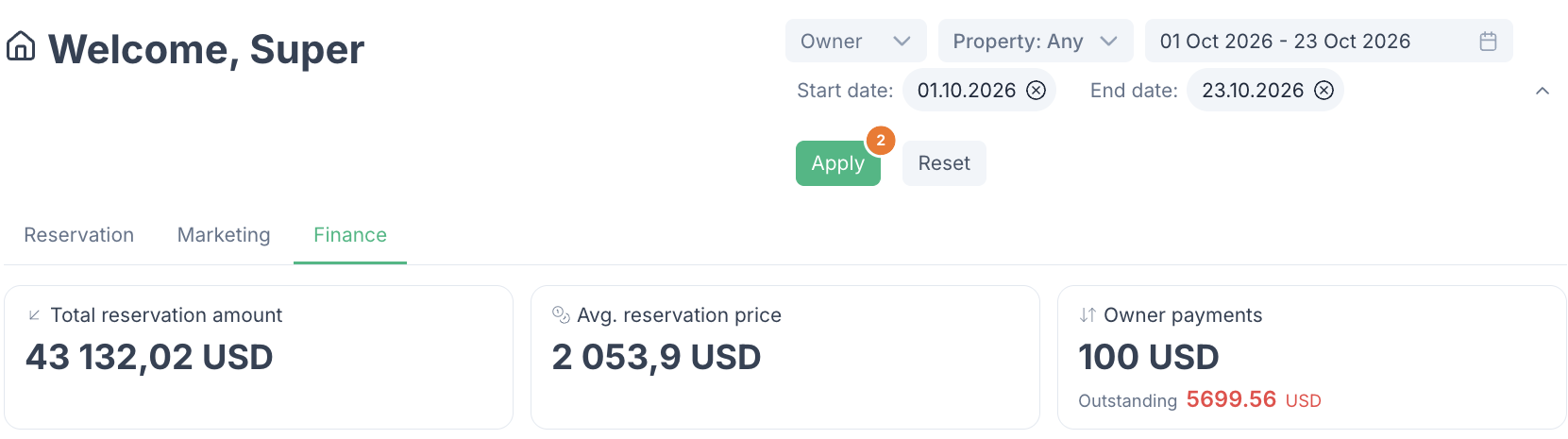
What is the total reservation amount?
What has been paid to owners?
Which amounts are outstanding?
Go deeper into the financial workflow.
The rest of your working day
The supporting details,
in the same workspace.
Booking channel connectivity
Connect your channels
through Channex.
Bring channel connectivity into your reservation workflows through the Channex integration. Available channels and setup depend on your connection.
Booking.com
Airbnb
Trip.com
Expedia
Agoda
Vrbo
A few product questions
Understand the fit
before you choose.
For examples of how these modules support a working day, explore the scenarios on Solutions.
What does financial-first mean here?
Reservations and property records remain connected to financial activity: income, expenses, owner balances, settlements, and reporting. Your team can review the booking and its financial context in the same platform.
Is the calendar separate from the reservation records?
The calendar provides a portfolio view of stays and availability. Reservation records provide the booking details, including dates, property, guest, status, and related information.
Does the dashboard replace owner statements?
They serve different purposes. The dashboard gives a summary of selected financial figures; statements and accounting records provide more specific information for reviewing owner accounts and financial activity.
How does booking channel connectivity work?
YourResidence connects through Channex. The channels available to your business and the setup required depend on that connection.