
Owner Statements
Clear statements.
Traceable figures.
Build owner statements from the reservations, expenses, and fees recorded in YourResidence. Give your team and owners a clear view of the selected reporting period.
Illustrative statement
One property.
One reporting period.
Example figures · USD
| Recorded activity | Amount |
|---|---|
| Reservation income | 12,000 |
| Management commission | −2,000 |
| Property expenses | −1,000 |
| Amount due to owner | 9,000 |
| Payout already recorded | −4,000 |
| Remaining owner balance | 5,000 |
Illustrative layout and sample figures. Not a product screenshot. Taxes and other rules are excluded from this example.
The work behind month-end
A statement starts
with the records.
When bookings, costs, and payments sit in separate files, every statement becomes another reconciliation task. Connected records give your team a common basis for reviewing the numbers.
For operations
Keep month-end reporting connected to the work your team already records.
For finance
Review the booking, expense, or fee behind a figure.
For owners
Present the period’s income, costs, payouts, and remaining balance clearly.
What the statement brings together
The period’s activity.
The owner’s balance.
- Reservation income.
- Expenses charged to the property or owner.
- Management commission and additional charges.
- Payouts already recorded.
- The owner’s final balance for the period.
Statements are issued in one currency and exported as PDF. Configured tax and fee rates form part of the calculation.
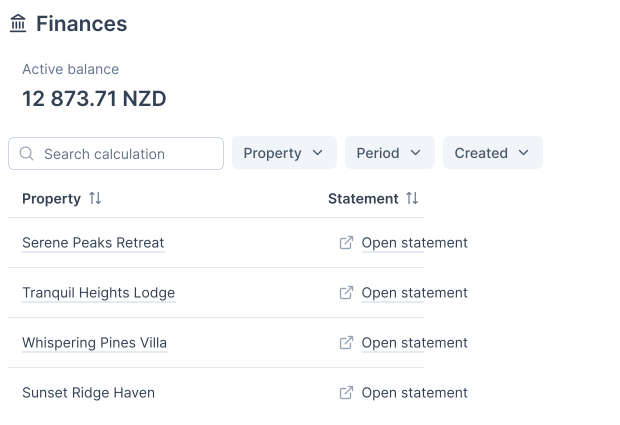
Owner finances / Property statement links
How it works
From the booking
to the statement.
01
Record activity
Add reservations and the income and expenses associated with the property or owner.
02
Review the calculation
Review commissions, fees, and the resulting owner balance.
03
Generate the statement
Generate the statement for the reporting period and export it as PDF.
04
Record the payout
Record a payment after it is made, keeping the payment history in the system.
Before you choose
A few practical questions.
Explore the full platform for the wider picture of reservations, property records, and financial workflows.
Can statements be exported?
Yes. Statements are exported as PDF.
Can a figure be traced to its source?
Statement figures are based on recorded bookings, expenses, and fees, so your team can review the underlying financial activity.
Does one statement support multiple currencies?
Each statement uses one currency, set for the property.
Can owners view their information?
The owner portal provides a browser-based view of property information and financial results. Owner download options are not described here.